
You can permanently delete your GetOn account directly in the app. For your account's security, you must be signed in to the account you want to delete.
How to delete your account
- Sign in to the GetOn app.Use the email address associated with the account you want to delete.
- Open your profile.Go to your profile using the navigation in the app.
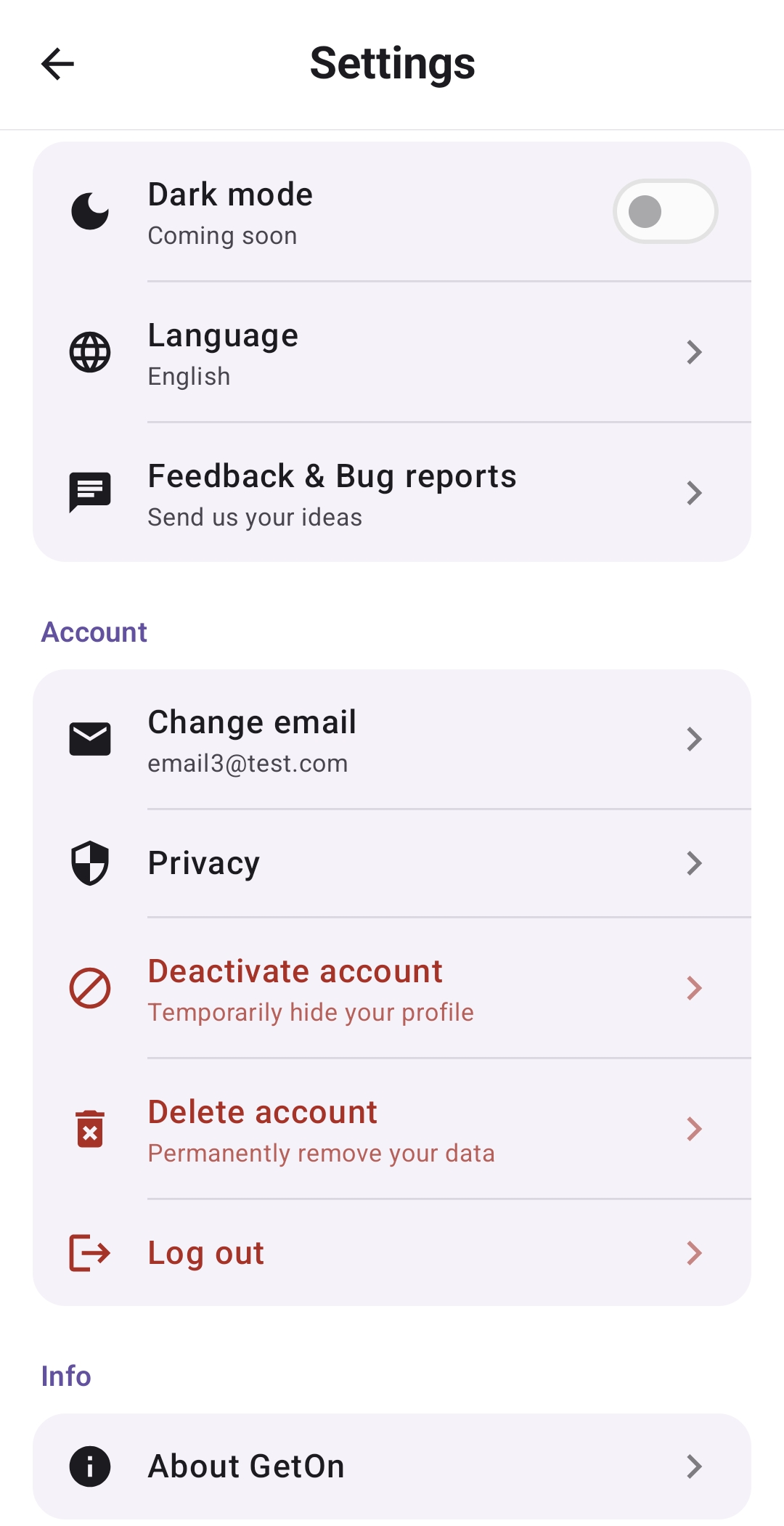
- Open Settings.Select “Settings” from your profile.
- Select “Delete account”.You can find this button in the “Account” section. Follow the instructions shown in the app to confirm the deletion.
What is not deleted immediately: Chat messages and the associated MeetUp remain available only while other participants remain in the chat. If deleting your account causes the last user to leave, the chat, all chat messages and membership data, and the associated MeetUp are deleted. Other MeetUps you created and report records relating to content that remains available are retained so that shared content remains accessible and reports can still be reviewed. Their association with your deleted profile and all identifying profile information is removed.
Need help?
If you cannot sign in or have questions about deleting your account, contact us at info@get-on.app.
For details about which data is deleted or anonymized and which content may be retained, see our privacy policy.